How to Check Your SASSA SRD R370 Grant Status (2026)
The SRD (Social Relief of Distress) grant of R370 per month is one of the most important grants for unemployed South Africans. If you have applied and want to know whether you have been approved, declined, or when your money will be paid, this guide explains exactly how to check your status — and what every status message means.
4 Ways to Check Your SASSA SRD Status
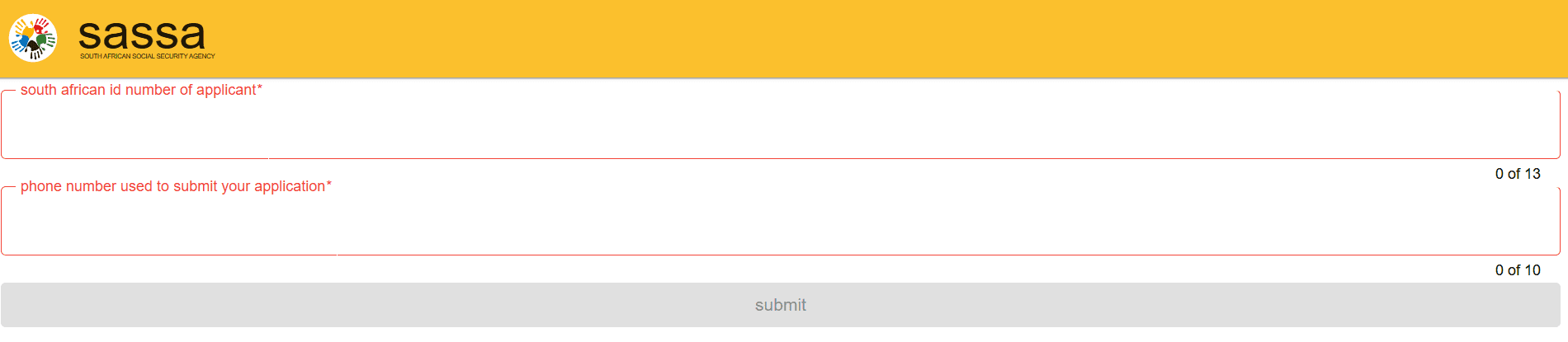
1. Check via the SASSA SRD Website
- Go to srd.sassa.gov.za
- Enter your South African ID number
- Enter the phone number you used when applying
- Click Submit to see your current status
2. Check via WhatsApp
- Save 082 046 8553 in your phone contacts
- Send “Hi” to start the conversation
- Follow the prompts and select “Check your SRD R370 Grant”
- Enter your ID number when asked
3. Check via USSD (No Data Needed)
- Dial *120*69277# on your phone
- Select the SRD grant option
- Follow the menu to check your status
No internet required. The USSD method works on any network without data — ideal if you have no airtime data.
4. Check via the SASSA Mobile App
- Download the “SASSA” app from Google Play or the App Store
- Log in using your ID number and phone number
- Navigate to “SRD Grant” to see your status
What Every SRD Status Message Means
Approved
Your application has been approved for this month. Payment will be made according to the SASSA payment schedule. See our SASSA Payment Dates 2026 guide for exact dates.
Pending
Your application is being reviewed. This is normal and can take a few weeks after applying. Keep checking regularly. You do not need to reapply.
Application Under Review
SASSA is verifying your information against other government databases — including UIF, NSFAS, and SARS. This is standard procedure. No action needed.
Declined
Your application was not approved for this month. Common reasons include income found through another database, receiving another SASSA grant, being a NSFAS beneficiary, or unverified banking details. You have the right to appeal within 90 days. See: How to Appeal a Declined SASSA Grant.
Bank Details Pending
SASSA approved your application but cannot process payment because your banking details are missing or unverified. Update your banking details on srd.sassa.gov.za immediately.
Identity Verification Failed
SASSA could not verify your ID with the Department of Home Affairs. Visit your nearest SASSA office with your original ID document.
Reapplication Required
Your previous application period has ended. Go to srd.sassa.gov.za and submit a new application.
When Is the SRD R370 Grant Paid?
Payments are staggered by ID number each month. Check srd.sassa.gov.za for your specific payment date, or see our full SASSA Payment Dates 2026 guide.
How Long Does SRD Approval Take?
After applying, it typically takes 10 to 30 days to receive a decision. Contact SASSA on 0800 60 10 11 (toll-free) if you have been on “Pending” for more than 30 days.
How to Update Your Banking Details for SRD
- Go to srd.sassa.gov.za
- Log in with your ID number and phone number
- Click “Update Banking Details”
- Enter your new bank account details
- Verify via OTP sent to your registered phone number
You can also receive payment at Pick n Pay, Boxer, or Shoprite — no bank account required.
SASSA Contact Details
- Toll-free: 0800 60 10 11 (free from any phone)
- WhatsApp: 082 046 8553
- Website: srd.sassa.gov.za
- Email: grantsenquiries@sassa.gov.za